XA25
The lightest full-size gaming mouse, with latency within 3 μs of the theoretical limit.
Batch 1 is sold out. For the latest production updates,
 Join our Discord
Stay tuned for news on batch 2.
Thanks, you're on the list.
October 16: DiamondLobby awarded XBAB Tech Best Newcomer of 2026.
- Weight
- 25 g
- Length
- 117 mm
- Latency overhead
- < 3 μs
- Polling rate
- 8000 Hz
- Sensor
- PAW3950
Shell
Construction
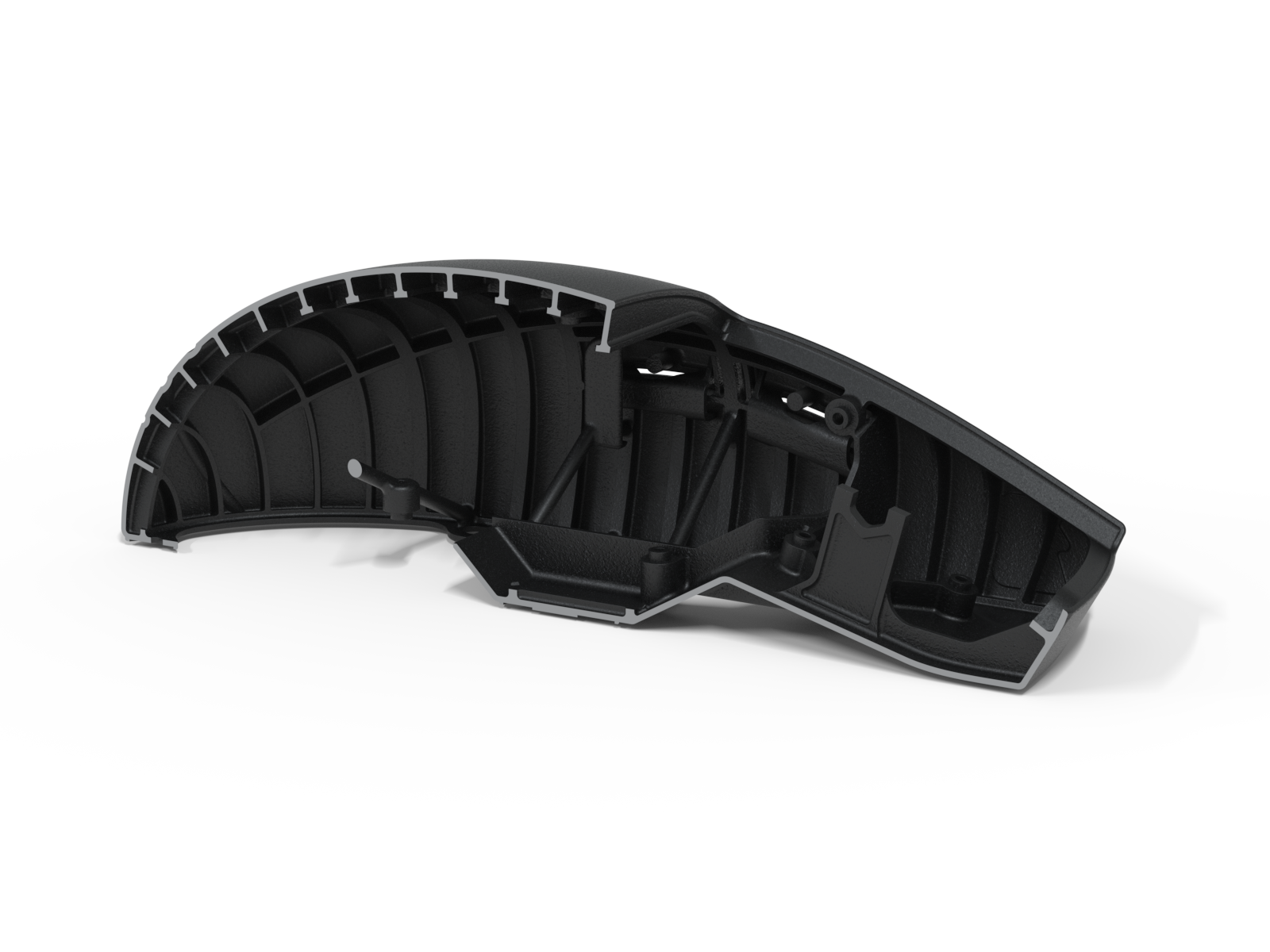
Many lightweight mice reduce weight by cutting holes in an injection-molded shell, at the cost of strength and rigidity. The XA25's shell is printed with Multi Jet Fusion (MJF). Its thin outer walls are supported by an internal orthogrid, a dense grid of ribs inside the closed shell that injection molding can't replicate. Material goes only where it adds stiffness, so the shell stays rigid with no holes and no soft spots.
The PCB follows the same approach, with only the components a wired 8000 Hz mouse needs.
Shape and surface
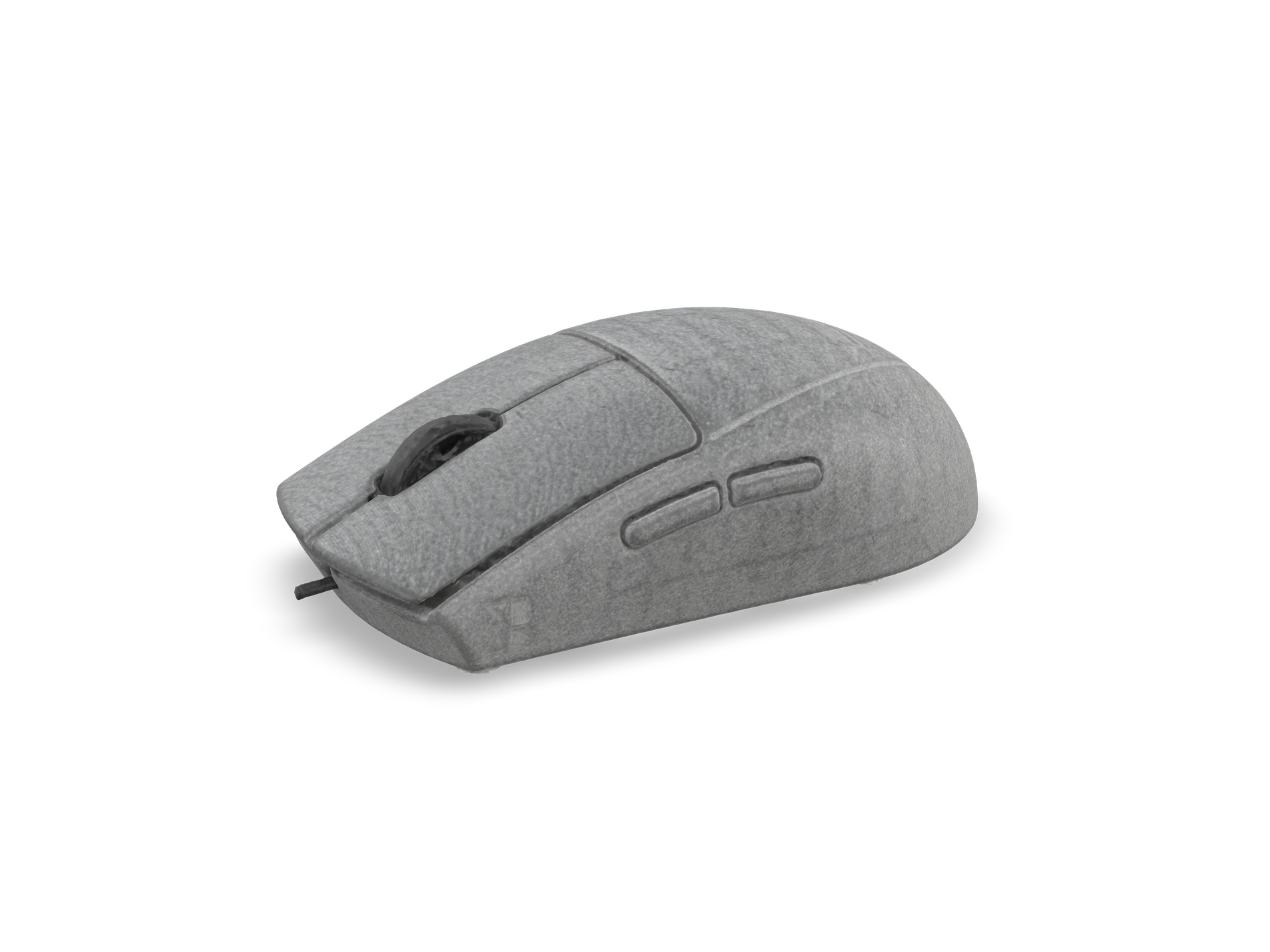
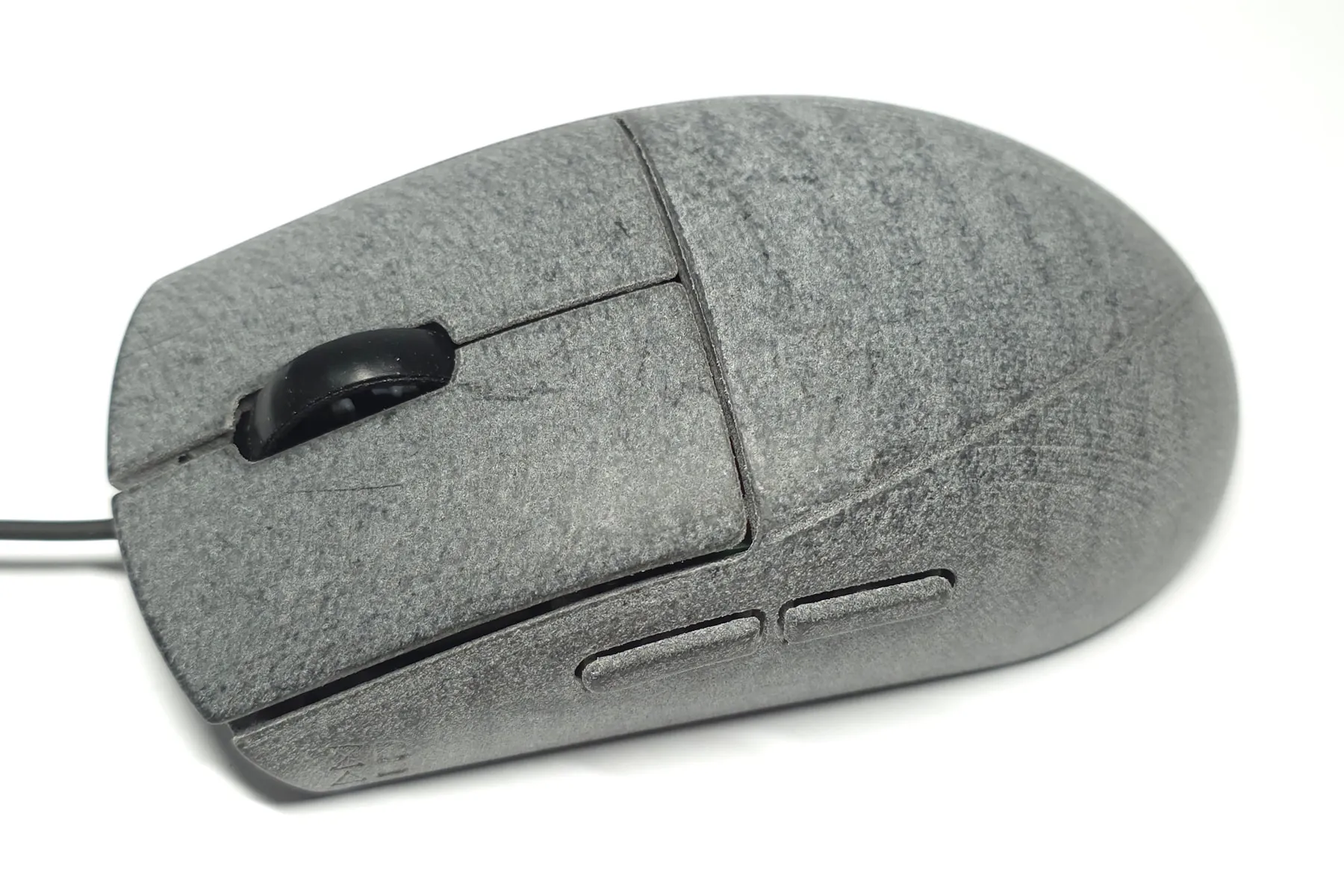
117 × 63 × 36 mm, with a symmetrical egg shape.
The surface is polished, with no dye or coating. It feels smooth and slightly soft, and develops a patina with use.
Compare the shape on EloShapes ↗Download a 3D-printable shape tester (STL) ↓
Unique details
Almost nothing on the XA25 follows standard design patterns. This 14 minute walkthrough covers some of what makes it unique: CNC-machined PTFE feet, trilobular thread-forming screws, the main and side button implementation, the bell-mouth strain relief, the < 1 g wheel, and the orthogrid ribs in the cutaway above.
Firmware and sensor
Latency
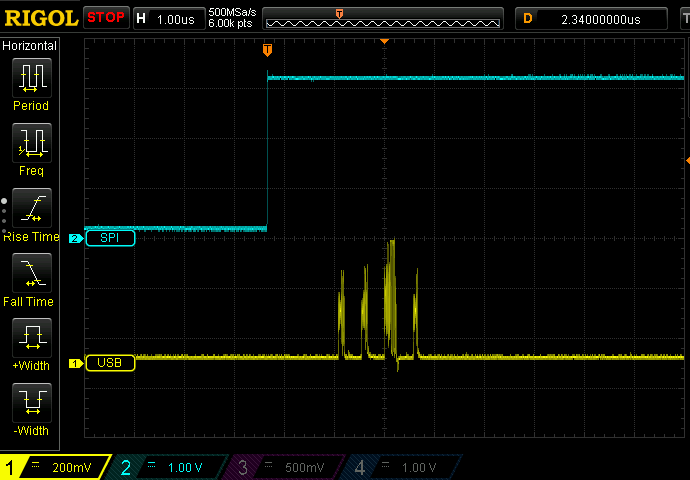
At 8000 Hz, the PC polls the mouse every 125 μs. The firmware reads the sensor and buttons just before each poll, so data spends as little time as possible waiting inside the mouse. The timing adjusts dynamically so that no poll is missed.
How tight is this timing? On an oscilloscope, the USB report data follows the end of the sensor read by about 2.3 μs. This is how much latency the firmware adds to the entire mouse. The remaining latency comes from the sensor itself and the poll interval, which firmware can't change.
Measured on the complete mouse:
- Click latency
- About 65 μs, from electrical actuation of the switch to USB data. Measurement by our USB analyzer ↗
- Motion latency
- About 130 μs, from a slam between two metal contacts to the direction change in USB data. At least 60 μs faster than all other mice tested the same way. 3rd party measurements by @Tw1tterIsGood ↗
PAW3950 settings
We found the undocumented registers that control the sensor's DPI downshift and smoothing, and changed the defaults:
- DPI downshift disabled. With stock PAW3950 settings, a high DPI setting drops to a lower value during very slow movement.
- Smoothing disabled at all DPI. Stock settings apply 2 frames of smoothing above 5000 DPI.
- Smoothing after set-down reduced to 2 frames for 12 ms. Stock settings apply 16 frames for about 450 ms.
We published these findings, and other companies, including Endgame Gear, have since adopted them.
Control panel
Settings are changed in the browser using WebHID, in Chrome, Edge, or another Chromium-based browser, with nothing to install. They include DPI, polling rate, lift-off distance, sensor mode and framerate, smoothing, and a slam-click filter, each with an explanation. Demo mode works without a mouse connected.
Cable
A stiff cable is much easier to feel on a 25 g mouse. Making a cable thinner means thinner conductors, which make it harder to keep the 480 Mbps signal needed for 8000 Hz within USB specifications, so most wired 8000 Hz mice use thick cables.
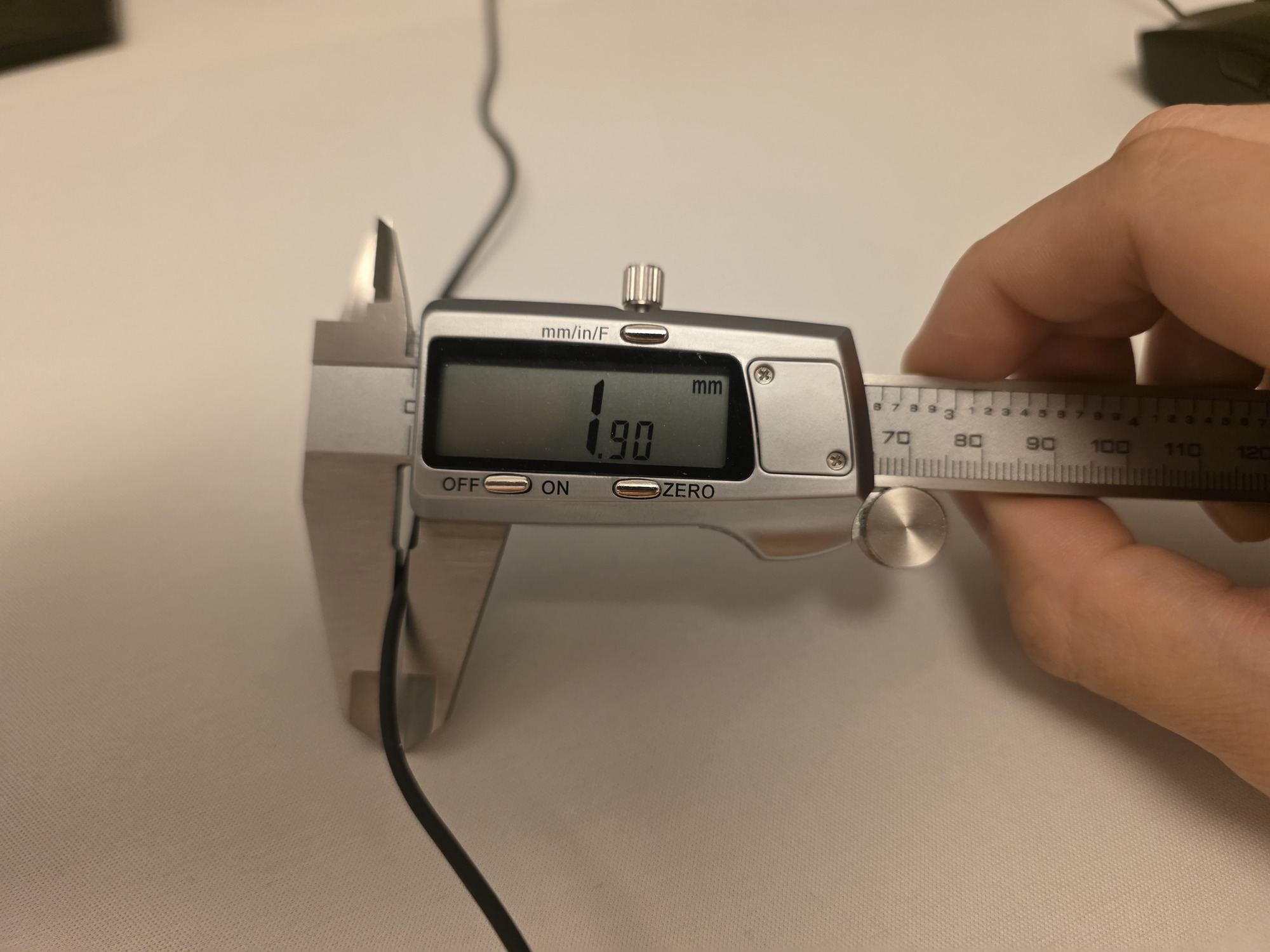
The XA25's cable is 1.9 mm thick and weighs 6.9 g per meter. It is more flexible than the stock cable of any other 8000 Hz mouse we have tried, and passes the USB 2.0 high-speed eye-pattern test.
- Conductors
- 32 AWG stranded copper, FEP insulation
- Shield
- Braided tinned copper
- Jacket
- Smooth and flexible, no outer braid
- Impedance
- 84 Ω differential, within the USB 2.0 range of 76.5 to 103.5 Ω
- Length
- 1.7 m outside the mouse
Use a bungee
A cable this flexible can slip under the mouse during fast upward movements. The included silicone adapter fits the thin cable into a standard bungee, or into the adhesive clip, which then works as a micro-bungee.
Videos and tester feedback
Videos
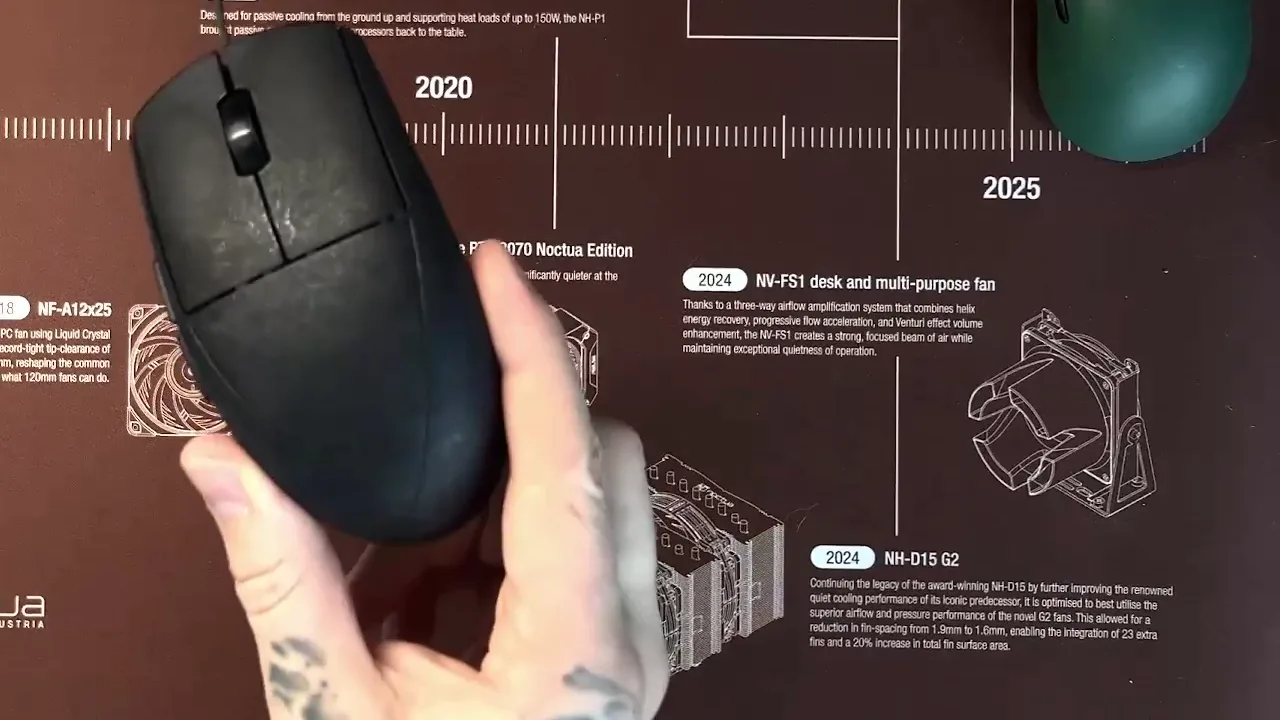

Prototype testers
From the survey after our second round of prototype testing, quoted with permission.
The only wired mouse I'd consider actually using on a daily basis, and I have so far.
Something I've noticed with this mouse is how little variance there is when I aim. My crosshair simply goes where I want it to, it's not floaty and has no drifting or jitter.
I am most impressed while playing tracking scenarios and games, the mouse is extremely responsive to my inputs.
the cable is easily the best cable I've ever used, extremely flexible but never gets caught under my mouse and I haven't felt it since using it
the polished shell is my most favorite surface out of any mouse ive used
its the only mouse i can use for hours and my hyperhidrosis doesn't bother me.
Specifications
- Weight
- 25 g ± 1 g
- Dimensions
- 117 × 63 × 36 mm
- Shape
- Symmetrical egg shape. See on EloShapes ↗
- Shell and finish
- MJF printed PA12, polished, no dye or coating
- Buttons
- Left, right, middle, two side buttons
- Main switches
- Kailh Sword GM X
- Wheel encoder
- TTC Gold Dustproof
- Mouse feet
- CNC-machined PTFE by Nitro Factory
- Sensor
- PixArt PAW3950
- DPI
- 50 to 30,000, in steps of 50
- Polling rate
- 8000 Hz
- MCU
- Nuvoton M483, Cortex-M4 at 192 MHz
- Cable
- 1.9 mm diameter, 1.7 m length, USB 2.0 high speed (480 Mbps)
- Configuration
- Browser control panel (WebHID)
In the box
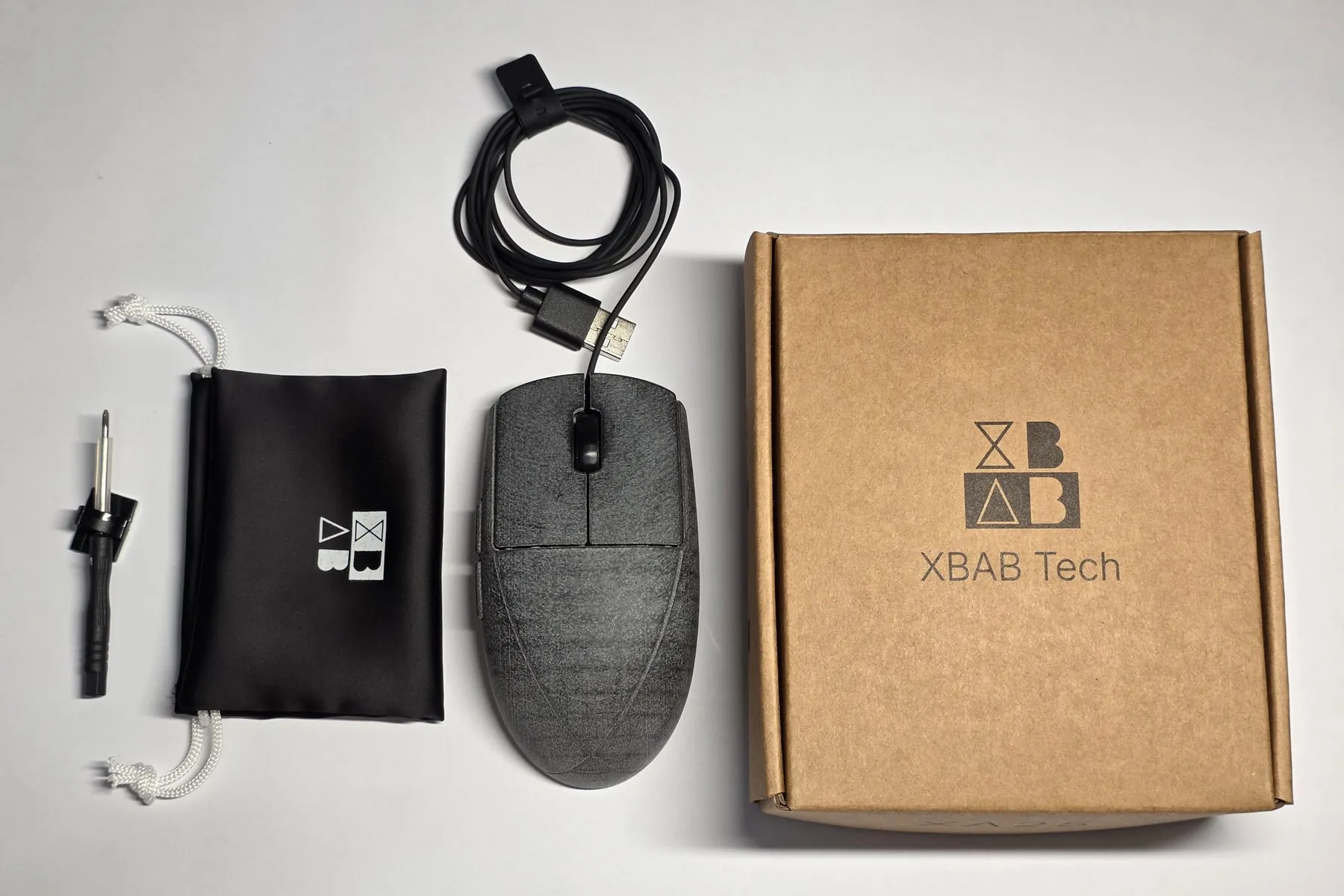
- XA25 mouse
- Cloth carrying bag
- Silicone bungee adapter
- Adhesive clip, for use as a micro-bungee
- Screwdriver
The retail box is 100% kraft cardboard.
Who makes the XA25
XBAB Tech was founded by qsxcv and a partner. qsxcv has spent more than a decade studying, modding, and writing firmware for gaming mice. Earlier projects include:
- Input lag measurements with microsecond precision
- A microcontroller with custom firmware transplanted into a G100s
- A custom wireless mouse with lower latency than a top wired mouse
- The first demonstration of an 8 kHz wireless mouse
We publish our measurements and design decisions on the blog.
Design, parts, and assembly
Many new mouse brands sell an OEM's design with their logo on it, shipped straight from the OEM's factory. We design the XA25's shell, PCB, cable, firmware, and control panel ourselves, buy each part from its own supplier, and assemble and test every unit in California.
- PCB assembly
- Malaysia
- MJF shell
- China
- Cable
- China
- Mouse feet
- Japan
- Screws
- Japan
- Final assembly and QC
- In-house, California
Batch 1 details
Batch 1 sold out already, in just 13 minutes on September 22. Production is already in progress. We share updates weekly on Discord.
Email reminder
We'll notify you before batch 2 launches.
Thanks, you're on the list.
A few emails a month at most. Unsubscribe anytime.
- Price
- $169 USD
- Japan
- Exclusively through Nitro Factory
- US shipping
- Free to all 50 states. For this batch and the next few, California is the only state where we collect sales tax.
- International
- 189 countries and regions. FedEx shipping is about $20 for most destinations, with taxes and duties paid at checkout. Transit takes 3 to 5 business days after dispatch. Check your country.
- Delivery
- Estimated late October to November 2026
- Warranty and returns
- 1 year, and 2 years in the EU. 30 days to return, and a pre-order can be cancelled any time before it ships. PMM in Europe handles service locally; in Japan, Nitro Factory's own terms apply. Warranty and return details